
Facebook Conversion API Setup for Shopify :-
Accurate Meta conversion tracking is becoming more important for Shopify stores.
If you’re running Facebook or Instagram Ads, simply installing the Meta Pixel is often not enough. Browser tracking can lose data because of browser restrictions, ad blockers, cookie limitations, and other tracking issues.
A better approach is to combine Browser-Side Meta Pixel + Server-Side Conversions API (CAPI) using Google Tag Manager and Stape.io.
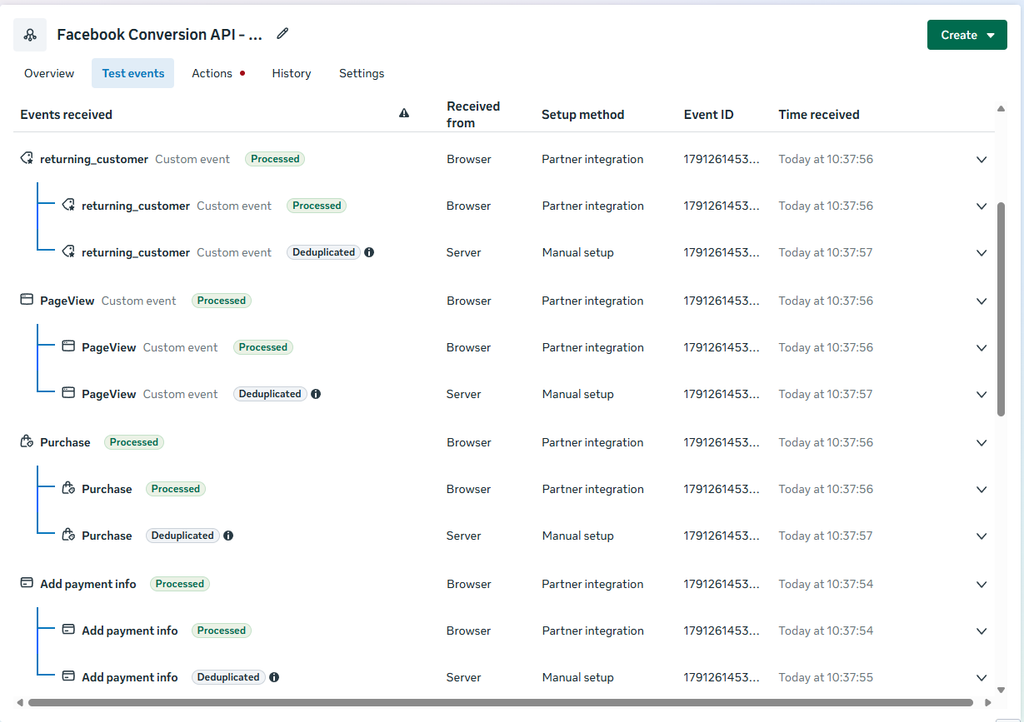
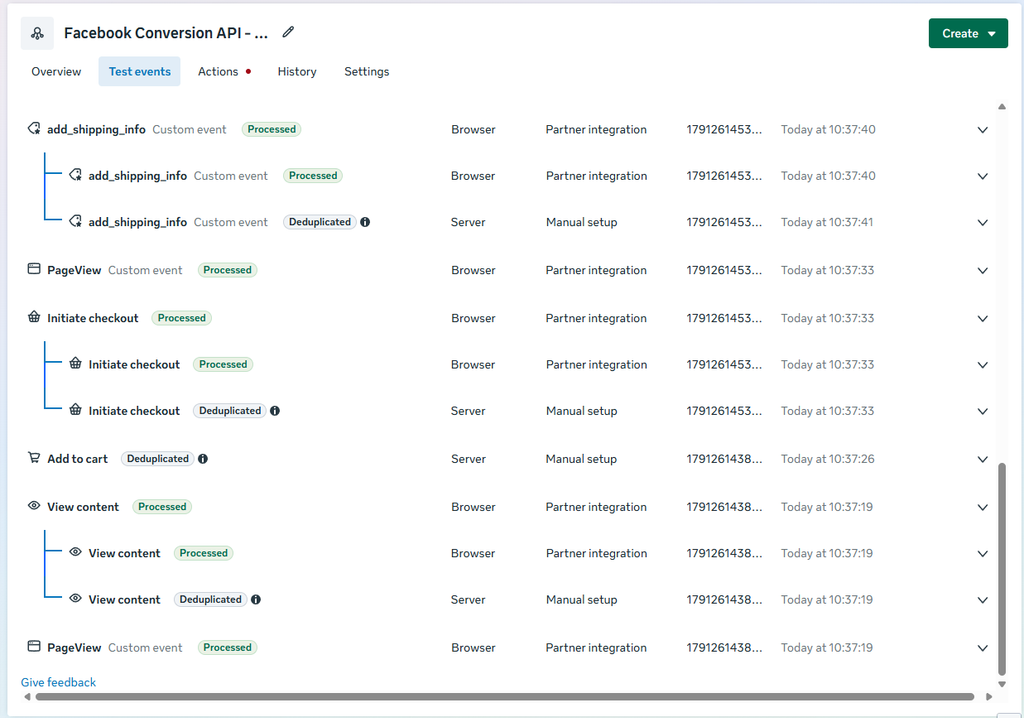
In this setup, you can also use event deduplication to make sure Meta doesn’t count the same conversion twice.
How To Setup Facebook Conversion API ? Check This Video
Why Use Meta Pixel + Conversions API?
The Meta Pixel tracks customer activity directly from the browser.
Conversions API sends event data from your server.
Using both gives you a more reliable tracking setup :
Shopify → GTM Web → GTM Server → Stape.io → Meta Conversions API
This gives Meta more opportunities to receive important conversion signals.
Improving Event Match Quality
One important part of a good CAPI setup is Event Match Quality.
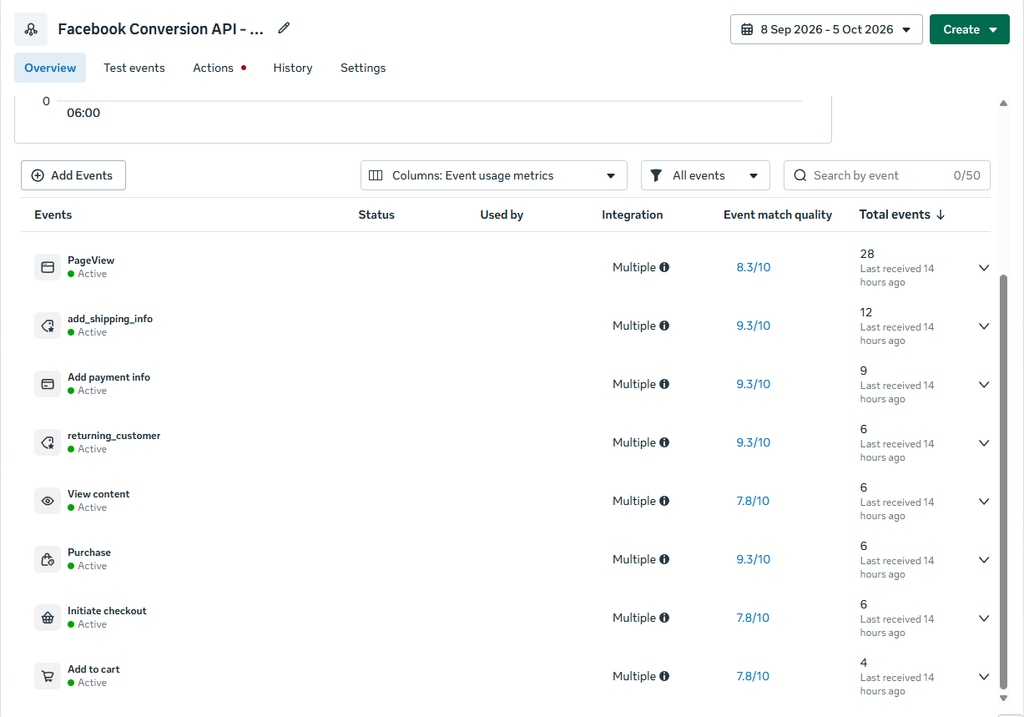
In my setup, several events reached 9.3/10 Event Match Quality, including :
- Purchase
- Add Payment Info
- Add Shipping Info
- Returning Customer
A higher Event Match Quality generally means Meta has more useful customer information available to help match events with Meta users.
The goal isn’t simply to chase a score. The goal is to send accurate, consistent, and properly formatted data.
Browser + Server Event Deduplication
When you send the same event from both the browser and server, there is an important problem :
Could Meta count it twice?
That’s where event deduplication comes in.
For example, when a customer completes a purchase :
Browser : Purchase → Meta Pixel
Server : Purchase → Conversions API
Both events should use the appropriate matching identifiers, including the same event_id, so Meta can recognize that they represent the same action.
Shopify Data Layer + Google Tag Manager
For a Shopify store, the data layer is extremely useful because it can provide information about the customer’s actions and products.
Depending on the implementation, ecommerce data can include:
- Product ID
- Product name
- Price
- Quantity
- Currency
- Order value
- Customer information
- Event name
- Transaction ID
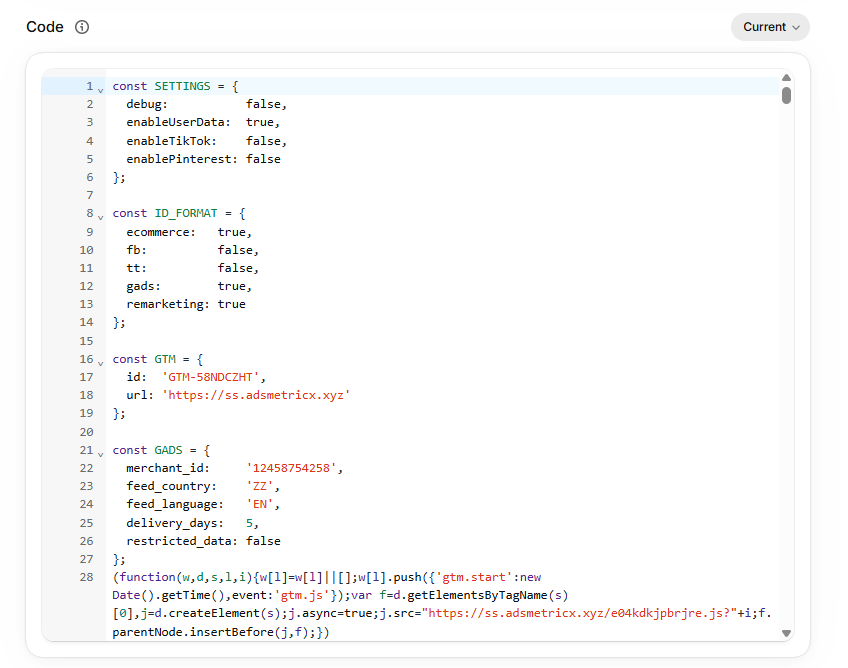
Shopify Data Layer Code :
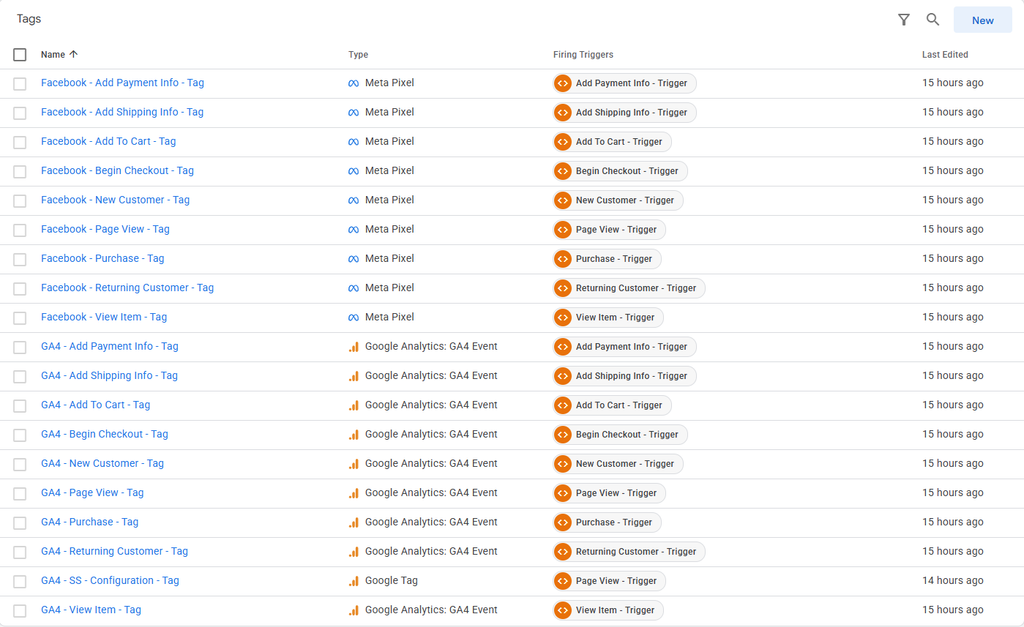
Google Tag Manager Setup Browser Side :
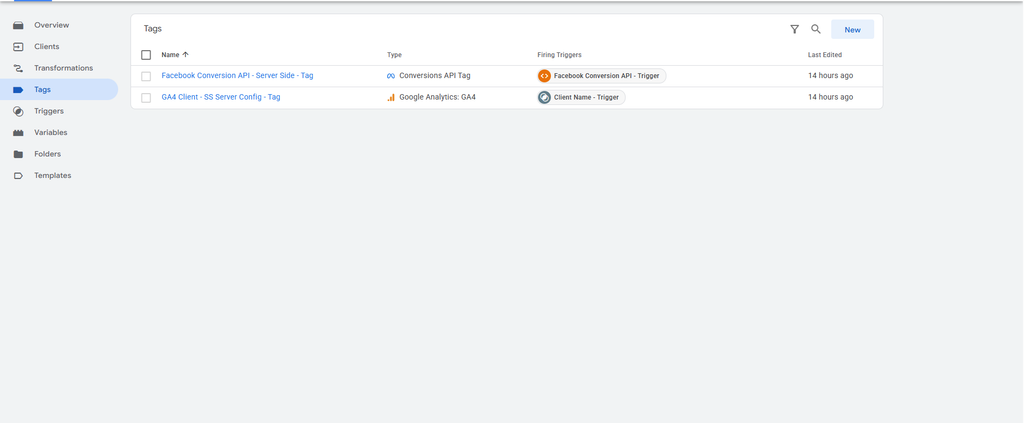
Google Tag Manager Setup Server Side :
Server-Side Tracking with Stape.io
After the browser event reaches the Google Tag Manager web container, the event can be forwarded to a Google Tag Manager Server container hosted through Stape.io
The server container can then process the event and send it to Meta through the Conversions API.
This approach also gives you more control over the data being sent to Meta and helps build a more reliable tracking architecture.
The Result
A properly configured setup should look like this :
Shopify Data Layer → Google Tag Manager Web Container → Meta Pixel → Browser Event → GTM Server Container → Stape.io → Meta Conversions API
Better tracking means better data and better data gives you a stronger foundation for optimizing your Meta Ads.
Need help with Meta Pixel, CAPI, GTM Server-Side Tracking, or Shopify data layer implementation? Work with me: https://adsmetricx.com/contact/
Check My Fiverr Reviews : https://www.fiverr.com/adsmetricx